变量声明
试试你的hello world!1
- 在你的编辑器中新建一个
hello.p文件,输入
print "hello world!";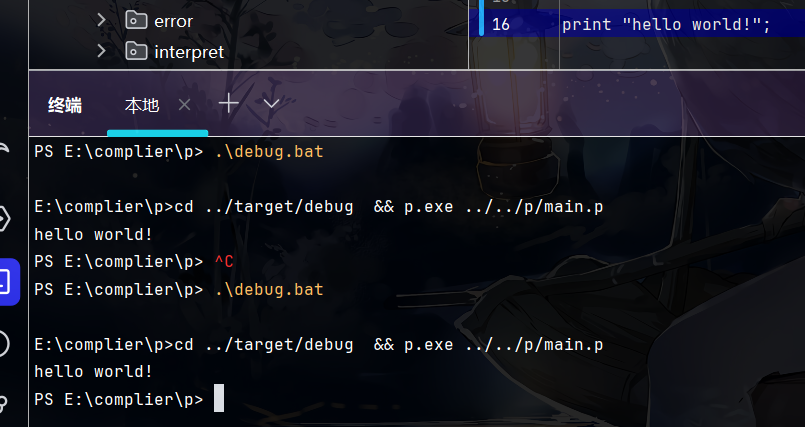
恭喜,你学会了鹏语言,去放飞自我吧。,万里长征可以迈第二步了。
去打印五个白色的`hello world!`。
print "hello world!";
print "hello world!";
print "hello world!";
print "hello world!";
print "hello world!";
快来夸夸我!
再去打印十个七彩斑斓`hello world!`。
(╯°Д°)╯︵ ┻━┻ 老子不干了。
那如果有了变量呢
//鹏语言支持中文关键字
诏 字符="hello world!"
打印 字符;
打印 字符;
打印 字符;
打印 字符;
打印 字符;
(↼_↼)有区别?
别着急,要组合起来用的
//伪代码
诏 字符="hello world!"
循环{
    打印 字符;
}
//这样就可以一直打印下去了
那我该怎么进行变量声明呢
- 很简单
let str="hello world!"
//或
诏 字符="hello world!"- 之后我们使用str或字符就是
"hello world!"了。
想要了解变量声明在计算机底层发生过程的朋友可以看下去,萌新可以直接进入下一章了。
什么是变量声明
- 实际上变量声明赋值就是我们在计算机内部开辟一个空间,把
hello world!存进去。 - 并且开辟和存储在计算机内部是两个过程。
let str="hello world!";
print str;- 程序会在内部执行
let str即在计算机内存中开辟空间 并将返回的地址2和str对应。 str="hello world!"则是在那个地址中放入"hello world!";- 之后我们使用str 就意味着使用开辟的地址,便可以在其中取出”hello world!”了。
本章中英对照表
| 英文 | 中文 |
|---|---|
| 打印 | |
| Ram | 这里指计算机内存条。 |
| let | 允许、让或使。 这里作为变量声明的表示符号 |
| str | 字符串(一串字符) |